Diamond Developer Blog
This page (devblog.htm) contains the developer blog for Diamond. Although
it
has been dedicated to the upcoming version 4, it is called in general "Diamond
Developer Blog" to cover several future aspects of Diamond software development.
All articles - unlike stated otherwise - have been written by the program's author
Klaus Brandenburg (brandenburg@crystalimpact.de)
Diamond Version 4.0 released-- 28 October 2014, 17:00 UTC
Today, the long awaited new version 4 of our software package has been released.
Here is the link to the news.
Diamond version 4 beta 2 available for download -- 28 July 2014, 15:00 UTC
Since the expiration date of beta 1 is approaching, a new version of Diamond 4 beta
is available for download, where some bugs have been repaired and the online help
is now half ready. Users of the beta 1 can use a rather small patch in a
ZIP file, since only three files have changed.
Here is the link to the download page.
Diamond version 4 beta 1 available for download -- 14 April 2014, 09:00 UTC
After months and years and -- ok, you have heard that enough -- the first beta of
Diamond version 4 is now available for download.
Here is the link to the download page.
Diamond version 4 beta 1 expected between 10 and 15
April 2014 -- 17 March 2014, 15:00 UTC
After years of delay, we are coming closer to the first beta version of Diamond
4.0. There are some crucial functions left to be checked (and the bride to be decorated).
My today extrapolation leads to a date between 10 and 15 April 2014. Yes, you are
reading right: a date in next month and in this year!
Diamond version 4 beta 1 expected for March 2014 -- 18 December 2013, 06:30 UTC
Since October 2013 I have been processing a detailed list of faults and incomplete
functions. Now being in late December, extrapolation of the progress leads to a
new scheduled date for the first Diamond 4 beta version: March 2014. Since there
is documentation and online help to be written during the beta test period, the
release of Diamond version 4.0 is scheduled for September 2014.
Diamond version 4 beta 1 postponed to autumn 2013 -- 26 July 2013, 09:00 UTC
On the occasion of a Crystal Impact software workshop at the University of Bonn
we decided that the current alpha version of Diamond 4 is not ready to be released
neither as "Preview" nor as "beta version 1". And since we do not want to bore you with another announcement that Diamond beta 1 will appear in the
next month each,
we now postpone version 4 beta 1 to autumn 2013 and the release of Diamond version
4 to spring 2014. The reason is there are too many funtions incomplete, and especially
the new operational modes like grab mode, neighbouring preview, and mouse wheeling need some amendments before we let the first beta version from the leash.
Diamond version 4 beta 1 scheduled for last decade of
July -- 27 June 2013, 09:30 UTC
Now that June is closing, there is - once again - another delay of completion of first Diamond 4 beta version. The beta
version is scheduled to come on the Crystal Impact Companion DVD to be distributed
on ECM-28 in Warwick.
The meeting is at the end of August, but the DVD source - which contains the Diamond
4 beta 1 installation package - must be complete at the end of July, so you have
a high chance to have the beta version ready for download in late July.
What's New tutorial for version 4 beta 1 still under
work -- 1 June 2013, 16:00 UTC
The "What's New" tutorial that gives you a round trip through the
new functions relative to version 3.x is still under work. So next expectation for
version 4 beta 1 is June 2013.
Table of created molecules and Atom list -- 14 May 2013, 21:30 UTC
The tables in the data pane right beneath the structure picture, such as the atomic
parameter list, the lists of created atoms and bonds, rsp., have been extended for
the table of created molecules, where every molecule in the structure picture is
listed. Another, new kind of table is the "Atom list", which either shows the created
atoms grouped for atom sites and atom groups, or arranged by molecules. More...
Connectivity dialog with additional pages for H-bonds
and contacts -- 14 May 2013, 15:00 UTC
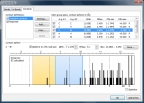
The Connectivity dialog now uses three pages, one for "Bonds" (i.e. strong connections),
a second for H-bonds and a third one for non-bonding contacts. The "Bonds" page
is in principle what already know from previous Diamond versions, whereas the other
two pages serve to define H-bonds and contacts definitions between atom group pairs
or atom site pairs or special element combinations. More...
Using bond, H-bond, and contact parameters
-- 9 May 2013, 22:00 UTC
This article demonstrates several direct usages of connection parameters, i.e. usually
basing upon _geom_bond_xxx, _geom_contact_xxx and _geom_hbond_xxx
informations imported from a CIF file. More...
Expanding to and reducing from a molecule cluster -- 8 May 2013, 9:00 UTC
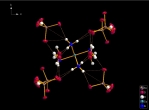
This article shows how to expand from a set of atoms or a molecule via neighbouring
molecules to a cluster and to reduce that cluster back to a smaller ensemble of
molecules again. You can do this with or without H-bond and/or contact definitions
-- starting from a selected atom or a selected molecule or from the whole current
ensemble in the structure picture.
More...
Beta version still under approval for release
-- 30 April 2013, 09:30 UTC
Now that April has come to an end, the beta version of Diamond 4 is still being
checked for errors and cannot yet be released (as announced one month ago) before
the end of this month. First beta version release is now expected during May 2013.
Beta version now being tailored for download in April 2013 -- 28 March 2013, 09:30 UTC
The set of commands and dialogs to come in the final release of version 4.0 is
complete. The functions will now be checked for (severe) errors that could disable
a reasonable user experience, some toolbar icons and other graphics will be polished,
and a short documentation/tutorial will be written, so that the download of the first beta version
should
be available at the end of April 2013.
Beta version postponed for late first quarter of 2013 -- 23 January 2013, 09:00 UTC
The release of the first beta version of Diamond 4 had to be postponed for late
first quarter of 2013. The reason is that many of the new functions do not yet allow
a smooth workflow, which means the first beta would either run too clumsy -- or
I had to close the buggy functions giving you more the impression of a Diamond 4
preview rather than a Diamond 4 beta version!
Season's Greetings
-- 20 December 2012, 13:30 GMT
I am looking forward to continue developing of Diamond 4 beta during the Season.
This blog will re-open on 2 January 2013. I wish you all a Merry Christmas and happiness,
joy and prosperity in the next year.
Design schemes: Creating atom color, style and radii resources -- 13 December 2012, 14:00 GMT
The most convenient way to create a design scheme is from an existing structure
picture. This article shows you how to derive a set of resources for atom main colors,
atom styles, and radii. More...
 Creation and application of
design schemes -- 4 December 2012, 10:30 GMT
Creation and application of
design schemes -- 4 December 2012, 10:30 GMT
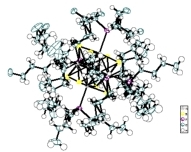
Make your structure picture settings (a rendered colorful screen plot or an ORTEP-like
ellipsoid sketch on white paper) along with the designs of atom (groups, sites),
bonds, polyhedra, etc. -- and simply call "Create Design Scheme" to create a design
scheme from these current picture settings and save it under a title, so you can
access this scheme whenever you later want to quickly re-design a picture from another
structure. More...
About picture building and design schemes -- 28 November 2012, 11:00 GMT
A picture building scheme is a batch of functions to build up a structure picture.
And a design scheme is its pendant referring to the picture's design and viewing
properties -- somewhat like a style sheet in a word processing application for example.
This article shows the application
of building and design schemes to series of structure files, which significantly speeds up processing of crystal structures compared to
the use of the manual functions from the "Build" and other menus.
More...
 The "Auto Picture Creator" -- 27 November 2012, 23:30 GMT
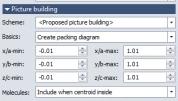
The new "Auto Picture Creator" window is usually docked at the left side of the
Diamond application window and offers the most useful features in the categories
picture building, design and viewing at a glance. Read about the automatic reflection of changes of picture
building settings in the "Auto Picture Creator" docking pane
with the structure picture -- and in parts also vice versa.
More...
Developer blog has opened -- 20 November 2012, 14:00 GMT
Welcome to the Diamond Developer Blog!
As originally announced, the first beta version of Diamond 4 should come in October
or November of 2012, with this blog to be started at the same time. Since the beta
version is on the home stretch though, it will not yet be ready for download during the
next weeks. Beta version 1 is now planned to come in late 2012 or in January 2013.
Nevertheless - and you unfortunately having nothing to play with - I will already begin to report about the development progress and
demonstrate some outstanding new functions of Diamond 4 using this blog.
The main focus will be on the new user experience with
the new core functionalities, such as "Molecules and polymers" and
"Automatic picture creation".
There will be some functions or commands in the beta version that are not yet complete
or indicated as hull, but the beta version will show the above mentioned new core
functions - though not absolutely bug-free - but already elaborated.
|